Table of Content
Choosing HR software used to be a simple decision. You picked a tool that could store employee records and run payroll, and that was enough. In 2026, it is not that simple anymore. Indian businesses are dealing with hybrid teams, stricter compliance rules, growing contract workforces, and employees who expect the same smooth digital experience at work that they get from consumer apps.
With so many HR software options in the market, from simple payroll tools to full-fledged AI-powered HR platforms, picking the right one can feel overwhelming. This guide breaks the entire decision down into a practical, easy-to-follow checklist so you can choose HR software that actually fits your business, your budget, and Indian compliance requirements
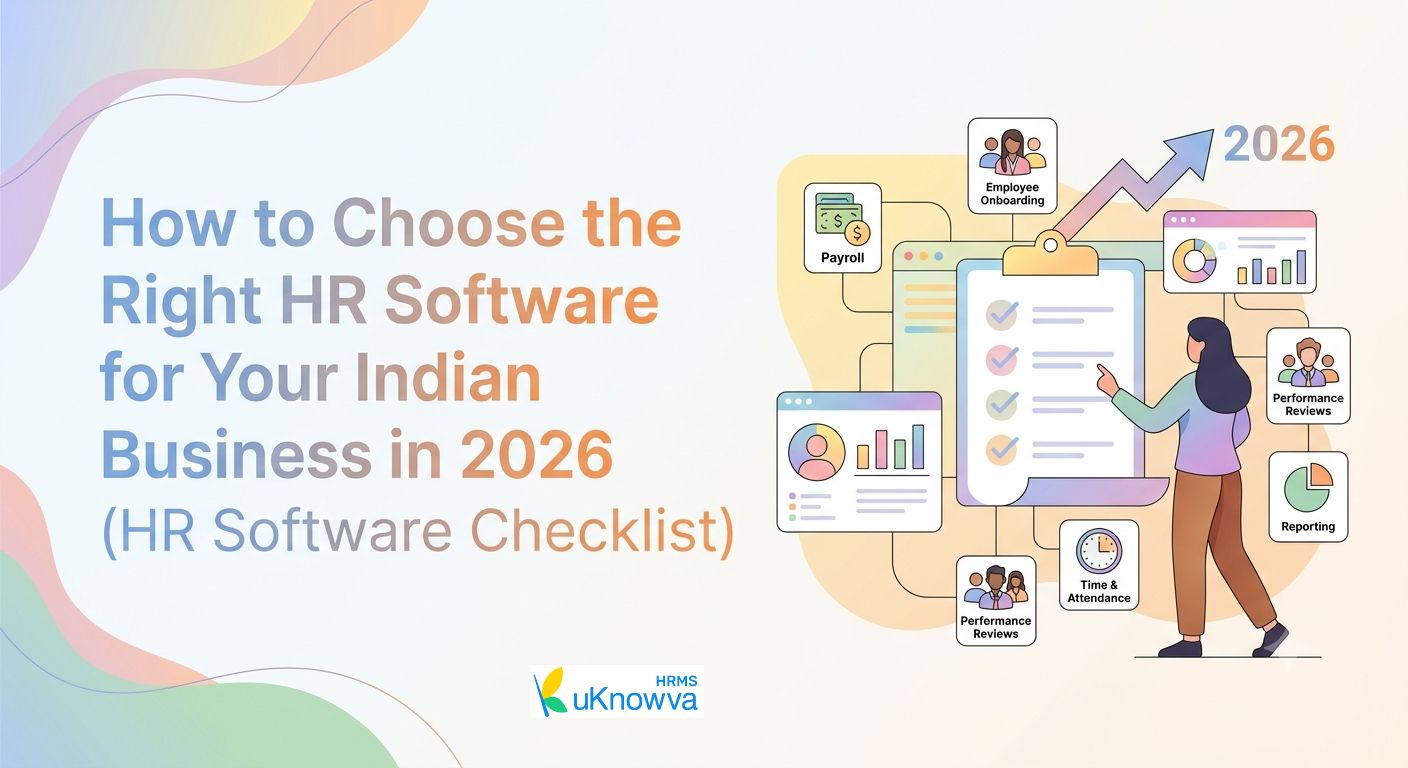
HR software is more than a digital tool for managing employee records or payroll. It helps businesses streamline HR operations, improve employee experiences, maintain compliance, and support long term growth. Choosing the right HR software can save time, reduce manual work, and make HR teams more productive.
Manual processes such as attendance tracking, leave approvals, payroll management, and maintaining employee records take significant time and are prone to errors. HR software automates these routine tasks, allowing HR teams to focus on strategic activities like talent development, employee engagement, and workforce planning.
Modern HR software offers employee self-service features that allow employees to apply for leave, access payslips, update personal information, and track attendance independently. This creates a smoother experience while reducing the workload on HR teams.
As organisations expand, managing HR processes becomes more complex. The right HR software can scale with your business by supporting a growing workforce, multiple locations, and evolving HR requirements without requiring frequent system changes.
Businesses in India must manage payroll, employee records, and statutory requirements accurately. HR software simplifies compliance by organising employee data, standardising HR processes, and reducing the risk of manual errors that can lead to compliance issues.
HR software collects workforce data and converts it into meaningful reports. These insights help organisations monitor attendance, employee performance, hiring trends, and workforce costs, enabling smarter business decisions.
While cost is an important factor, the right HR software should be viewed as a long-term investment rather than an expense. By improving efficiency, reducing administrative work, and supporting better decision-making, it delivers value that extends well beyond its subscription cost.
Before you look at a single HR software demo, it helps to get clear on your own business first. HR software is not one-size-fits-all, and the right fit depends heavily on three factors: how big your company is, what kind of workforce you have, and how complex your HR processes already are.
A 20-person startup and a 2,000-person enterprise need very different things from HR software. Small businesses usually need something simple, affordable, and quick to set up, covering the basics like attendance, leave, and payroll. Mid-sized companies need more depth, such as multi-department workflows and better reporting. Large enterprises need scalability, role-based access, multi-location support, and the ability to handle complex approval hierarchies. Be honest about where you are today and where you expect to be in the next two to three years, since re-implementing HR software is a painful process you want to avoid repeating too often.
Think about who makes up your team. Do you have full-time employees only, or a mix of full-time staff, interns, consultants, and gig workers? Are your employees spread across multiple cities or states, or all working from one office? Do you have factory or field staff who need biometric attendance, alongside office staff who work from laptops? The more varied your workforce, the more flexible your HR software needs to be, especially around attendance tracking, shift management, and compliance rules that differ by employee type.
Some businesses have very simple HR processes: fixed salaries, standard leave policies, and a single office location. Others deal with variable pay structures, multiple state-wise compliance rules, complex approval chains, and detailed performance review cycles. If your HR processes are already complex, you need software that can handle that complexity without forcing your team into workarounds. If your processes are simple today but likely to grow, look for software that can grow with you rather than something built only for your current, smaller needs.
HR software is available in different categories, each designed to solve specific HR challenges. Understanding these types will help you choose a solution that fits your business needs and future growth.
A Human Resource Information System focuses on managing employee records, documents, attendance, leave, and other core HR data. It is ideal for businesses looking to digitize employee information and streamline administrative tasks.
A Human Resource Management System offers a broader set of features, including employee management, attendance, leave, payroll, recruitment, onboarding, and performance management. It is suitable for businesses that want an all in one HR solution.
Payroll software automates salary calculations, tax deductions, statutory compliance, payslip generation, and payroll reporting. It helps reduce manual errors and ensures employees are paid accurately and on time.
Recruitment software simplifies hiring by helping HR teams post job openings, track applicants, schedule interviews, and manage the recruitment process from a single platform.
This software helps organizations set goals, conduct appraisals, collect feedback, and monitor employee performance, making evaluations more structured and transparent.
Integrated HR software combines multiple HR functions into one platform. Instead of using separate tools for payroll, attendance, recruitment, and employee records, businesses can manage everything through a centralized system, improving efficiency and data accuracy.
Before choosing an HR software solution, evaluate whether it covers the essential HR functions your business relies on every day. Use this checklist to compare vendors and identify the platform that best fits your requirements.
The software should provide a centralized database to securely store employee records, documents, job history, and personal information. It should also support quick updates and easy access to data.
Look for flexible attendance tracking that supports office, remote, field, and shift based employees. Features such as biometric integration, mobile check in, and automated attendance reports can simplify workforce management.
Choose software that allows you to configure different leave policies, approval workflows, carry forward rules, and employee self service for leave applications and balance tracking.
The payroll module should automate salary calculations, tax deductions, reimbursements, statutory compliance, payslip generation, and final settlements while minimizing manual errors.
A built in recruitment module helps manage job postings, candidate applications, interview scheduling, and hiring progress from a single platform.
The software should support goal setting, regular performance reviews, feedback collection, and employee development to help improve productivity and engagement.
Employees should be able to access payslips, apply for leave, update personal information, download documents, and submit HR requests without relying on the HR team.
Look for dashboards and reports that provide insights into attendance, employee turnover, hiring, workforce costs, and other key HR metrics to support informed business decisions.
This section is where many businesses get caught out, because Indian labor and payroll compliance is genuinely complex and keeps evolving. Your HR software should take this burden off your shoulders, not add to it.
The software should automatically handle Provident Fund, Employee State Insurance, Professional Tax, and TDS calculations, along with generating the necessary statutory reports and challans. Manual payroll compliance is one of the biggest sources of penalties for Indian businesses, so automation here is non-negotiable.
Beyond payroll, check that the platform helps you stay aligned with applicable labor laws around working hours, overtime, minimum wages, and statutory registers. Good software keeps these rules updated in the background so you are not tracking every legal amendment yourself.
Every business registered under the Shops and Establishments Act has specific obligations around working hours, holidays, and record maintenance that vary by state. Your HR software should support these requirements and help you maintain the right registers and documentation for audits.
If you operate in more than one state, this becomes especially important. Professional tax rates, holiday calendars, and certain labor rules differ from state to state in India. The software should let you configure compliance settings per location rather than applying one blanket rule across your entire company.
Contract Workforce
If you work with contractors, consultants, or gig workers, check whether the software can handle their compliance needs separately from full-time employees, including contract labor regulations and appropriate documentation, since treating them the same as permanent staff can create compliance gaps.
India's new labor codes are reshaping how wages, provident fund, and gratuity are calculated. Ask vendors directly whether their platform is already updated for the new wage code structure, since this affects salary structuring, take-home pay, and statutory contributions across your entire workforce.
AI has moved from being a nice-to-have to a genuine differentiator in HR software. Here are the AI capabilities worth actively looking for when you evaluate platforms this year.
Instead of your recruitment team manually reading hundreds of resumes, AI screening tools can shortlist candidates based on skills, experience, and role fit within seconds, which significantly speeds up your hiring funnel.
An AI-powered HR chatbot can answer common employee questions, such as leave balances or payslip queries, instantly and around the clock, freeing your HR team from repetitive conversations.
Some platforms now use AI to flag employees who show early signs of disengagement or flight risk, based on patterns in attendance, performance, and feedback data. This gives managers a chance to step in before a resignation happens rather than after.
AI can scan payroll runs for anomalies, such as unusual deductions or mismatched salary components, before the payroll is finalised, catching costly mistakes that a manual review might miss.
By analysing historical patterns, some tools can predict upcoming leave spikes, such as around festivals or year-end, helping managers plan staffing and workload in advance.
AI can help surface meaningful patterns from performance review data across teams, highlighting strengths, skill gaps, and training needs that would be hard to spot manually across a large workforce.
By analysing survey responses and feedback text, AI can gauge overall employee sentiment and morale trends, giving HR leaders an early warning system for culture or engagement issues.
AI can auto-generate offer letters, appraisal letters, and other HR documents based on templates and employee data, saving significant manual drafting time for routine paperwork.
Instead of digging through dashboards, some tools now let HR teams simply type a question, like "What was our attrition rate last quarter," and get an instant, plain-language answer generated from the underlying data.
AI-driven workflow automation can trigger the right approvals, notifications, and next steps automatically, whether it is onboarding a new hire or processing a leave request, reducing the manual follow-ups HR teams usually have to do.
HR software rarely works in isolation. It needs to talk to the other tools your business already relies on. Here is what to check on the integration front.
HR software holds some of the most sensitive data in your company, including salary details, bank information, and personal identification documents. Security cannot be an afterthought here.
Choosing HR software based only on the lowest subscription cost can lead to higher expenses later. The right approach is to evaluate the complete cost of ownership and compare it with the value the software delivers to your business. A solution that saves HR teams hours of manual work, improves compliance, and supports future growth often provides a better return than a cheaper alternative with limited capabilities.
When comparing pricing, use the following framework to make an informed decision.
1. Understand the Pricing Model
Start by asking how the software is priced. Different HR software providers use different billing structures, and the pricing model can significantly affect your long-term costs.
Common pricing models include:
Per employee per month
Per user per month
Fixed monthly or annual subscription
Custom enterprise pricing based on business requirements
Request a detailed quotation so you understand exactly what you are paying for today and how costs may change as your workforce grows.
2. Identify What Is Included
A low advertised price does not always include every feature your HR team needs. Check whether the subscription covers essential HR functions or if important modules require additional payment.
Review whether the pricing includes:
Employee database
Attendance and leave management
Payroll integration
Performance management
Recruitment tools
Employee self-service portal
Mobile application
Standard reports and analytics
Customer support and product updates
Comparing feature by feature will help you avoid unexpected costs after implementation.
3. Calculate the Total Cost of Ownership
The subscription fee is only one part of your investment. Consider every cost associated with implementing and maintaining the software.
Your total cost of ownership may include:
Software subscription
Implementation charges
Data migration
Employee training
Customization requirements
Third-party integrations
Ongoing support costs
Future upgrade charges
Looking at the complete financial picture helps you compare vendors more accurately.
4. Check for Scalability Without Large Cost Increases
Your HR software should support business growth without forcing you to replace the system after a few years.
Ask questions such as:
What happens when employee count doubles?
Can additional modules be activated later?
Will pricing increase significantly after crossing employee limits?
Are there different plans for growing businesses?
A scalable pricing structure reduces future migration costs and supports long-term business expansion.
5. Measure Value Instead of Price
The cheapest software is not always the most economical option. Consider the business value the platform creates.
Evaluate whether the software can:
Reduce manual administrative work
Improve payroll accuracy
Minimise compliance risks
Enhance employee experience
Provide better workforce insights through reporting
Save time for HR managers and employees
If the software delivers measurable productivity improvements, a slightly higher subscription cost may result in greater overall savings.
6. Review Contract Terms Carefully
Before signing any agreement, understand the commercial terms and renewal conditions.
Check the following details:
Selecting HR software is a long-term business decision that affects HR operations, employee experience, compliance, and productivity. Many organisations focus on solving immediate challenges but overlook factors that become important as the business grows. Avoiding these common mistakes can help you choose software that delivers lasting value.
One of the biggest mistakes is selecting the cheapest option without evaluating its capabilities. Lower-priced software may lack essential features, require expensive add-ons, or become difficult to scale as your workforce expands.
Instead of comparing only subscription costs, assess the overall value, including automation, support, security, and future growth potential.
Every organisation has different HR processes. Buying software because it is popular or recommended by another company may not meet your specific needs.
Before evaluating vendors, identify your business priorities. Consider your employee strength, industry, compliance requirements, hiring plans, and the HR tasks you want to automate.
Even the most feature-rich HR software can fail if employees and HR teams find it difficult to use. A complex interface often leads to low adoption and continued reliance on manual processes.
Choose software with a clean interface, simple navigation, and self-service capabilities that employees can use with minimal training.
Your HR software should support your organisation not only today but also in the coming years. Many businesses outgrow their software because it cannot handle more employees, multiple office locations, or additional HR functions.
Select a solution that can grow with your business and allows you to add new features as your requirements evolve.
Indian businesses must comply with various labour laws and statutory regulations. Choosing software without built-in compliance support can increase manual work and the risk of reporting errors.
Verify whether the software helps manage payroll compliance, leave policies, attendance records, statutory reporting, and employee documentation.
HR software rarely works in isolation. It often needs to connect with payroll systems, accounting software, biometric devices, communication platforms, and productivity tools.
Before making a decision, confirm that the software integrates smoothly with the systems your organisation already uses.
Reliable customer support becomes essential during implementation, product updates, and issue resolution. Businesses often overlook this aspect until they face technical problems.
Evaluate the vendor's support channels, response times, onboarding assistance, training resources, and product documentation before signing a contract.
HR software impacts multiple departments, including HR, finance, IT, managers, and employees. Selecting a platform without gathering input from these stakeholders can result in missed requirements and lower user adoption.
Involve relevant teams during product evaluation to ensure the software meets operational and technical expectations across the organisation.
HR software stores sensitive employee information such as personal details, salary records, attendance, and performance data. Choosing a platform without evaluating its security standards can expose your business to unnecessary risks.
Ask vendors about data encryption, access controls, backup policies, compliance certifications, and disaster recovery measures before making your final decision.
Many businesses finalise software after reading feature lists or marketing materials without seeing the product in action. This increases the chances of selecting software that does not match actual workflows.
Request a live demonstration or free trial. Test common HR tasks such as employee onboarding, leave management, attendance tracking, and report generation to evaluate usability and functionality.
Choosing HR software without comparing multiple vendors or evaluating long-term business needs often leads to expensive software replacements later.
Take time to compare features, pricing, customer reviews, implementation support, and future scalability before making your investment.
Choosing the right HR software in 2026 is less about finding the platform with the longest feature list and more about finding one that genuinely fits your business size, workforce, and compliance needs. Use this checklist as a practical filter as you shortlist vendors, ask for demos, and request trials.
Take your time with this decision, since the right HR software will quietly save your team hours every week, keep you compliant with Indian regulations, and give your business the workforce data it needs to grow with confidence.
1. What is HR software?
HR software is a digital solution that helps organizations manage employee data, payroll, attendance, recruitment, performance, and compliance.
2. Why do Indian businesses need HR software in 2026?
HR software helps organizations automate processes, improve compliance, support hybrid work, and enhance employee experiences.
3. What features should HR software include?
Core features include payroll, attendance, leave management, recruitment, onboarding, performance management, analytics, and compliance support.
4. What is the difference between HR software and HRMS?
HRMS is a comprehensive HR software solution that integrates multiple HR functions into a single platform.
5. How does HR software improve productivity?
It automates repetitive administrative tasks, reducing manual effort and allowing HR teams to focus on strategic initiatives.
6. Can HR software help with compliance?
Yes. Modern HR software automates statutory calculations and helps maintain compliance records.
7. Is cloud-based HR software better?
Cloud-based HR software offers flexibility, scalability, remote accessibility, and easier maintenance.
8. What is employee self-service in HR software?
It allows employees to manage leave requests, update personal information, access payslips, and perform routine HR tasks independently.
9. How important are HR analytics?
HR analytics provide workforce insights that support better hiring, retention, engagement, and productivity decisions.
10. Why choose uKnowva HRMS?
uKnowva HRMS offers an integrated platform for payroll, attendance, recruitment, engagement, analytics, and compliance management tailored for modern Indian businesses.